
Teach-O-Matic
Create how-to videos with AI.
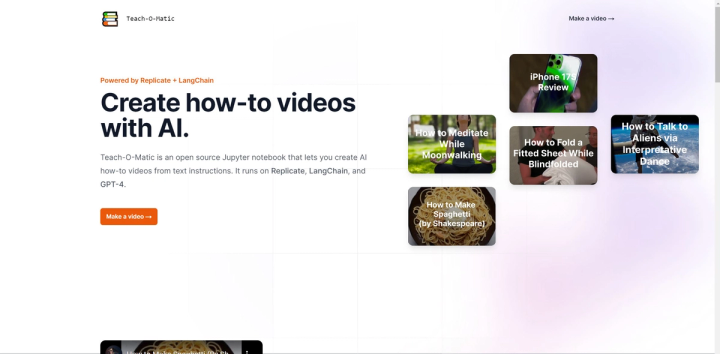
🎥 Introducing Teach-O-Matic, the open-source Jupyter notebook that enables you to create AI-generated how-to videos from text instructions. With Teach-O-Matic, you can harness the power of various cutting-edge components to create high-quality video content without any hassle.
Here are some of Teach-O-Matic’s key features:
- 🔥 AI-Powered Pipeline: Teach-O-Matic utilizes GPT-4, Suno AI Bark, Damo Text-to-Video, Riffusion, Stable Diffusion, and LangChain to create an end-to-end pipeline for how-to video production.
- 👍 Input Customization: Users provide a topic, narrator adjectives, and music style to generate personalized and tailored video content.
- 🧐 Informative and Understandable Videos: The tool aims to create how-to videos that are clear, concise, and easily comprehensible, enhancing the learning experience for viewers.
- 🔓 Open-Source and Accessible: Teach-O-Matic is an open-source Jupyter notebook that does not require a development environment, making it accessible to users with varying technical backgrounds.
- 🎬 Examples and Inspiration: The Teach-O-Matic YouTube channel showcases examples of how-to videos created using the tool, providing inspiration and demonstrating its capabilities.
Teach-O-Matic can be used in a variety of real-world scenarios, including:
- 🎓 Educational Content Creation: Educators and instructional designers can use Teach-O-Matic to produce engaging and informative how-to videos for educational purposes.
- 🛠️ DIY Tutorials: Individuals or organizations in the DIY and crafting space can utilize Teach-O-Matic to create step-by-step video tutorials for various projects.
- 💻 Software Demonstrations: Teach-O-Matic can assist software developers in creating video guides and tutorials to showcase the functionalities of their applications.
Experience the power of Teach-O-Matic today and empower yourself to create effective and engaging how-to videos with ease.