Favicon of Wondershare Filmora

Wondershare Filmora

Introducing Wondershare Filmora: 🎥 Wondershare Filmora is a versatile video editing software designed for creators of all skill levels. It provides an intuitive interface and a range of features, making it suitable for beginners and experienced users alike. With Filmora, editing and producing high-quality videos becomes a seamless and enjoyable process. ⭐ Key Features ⭐ ✨ Drag-and-drop editing: For ease of use. ✨ Advanced text editing and title creation: Elevate your storytelling. ✨ Over 800 stunning effects and filters: Enhance visual appeal. ✨ 4K editing support: Produce high-quality videos. ✨ Audio editing tools with royalty-free music library: Elevate your soundtracks. 🔥 Pros 🔥 💪 User-friendly interface: Perfect for beginners. 💪 Extensive range of editing tools and effects: Unlock your creativity. 💪 Supports a wide variety of file formats: Flexibility for diverse projects. 💪 Regular updates with new features and improvements: Staying current. 💪 Affordable pricing with different plans to suit various needs: Budget-friendly options. ⚠️ Cons ⚠️ 🔹 Advanced users may find the features somewhat limited: Not for highly advanced editing. 🔹 Occasional lags and crashes reported by some users: Minor performance issues. 👥 Who is Using Wondershare Filmora? 👥 ✨ Content creators: Looking for an easy-to-use editing tool. ✨ Small business owners: Creating marketing videos. ✨ Educators and students: For academic presentations. ✨ Amateur filmmakers: For short film projects. ✨ Podcasters: Needing video editing for visual podcasts. ✨ Uncommon Use Cases: Event organizers focused on creating promotional videos; Video marketers wanting to enhance product demos; Family historians interested in preserving and sharing family memories. 💡 What Makes Wondershare Filmora Unique? 💡 Filmora stands out with its balance of simplicity and functionality. It's not just a basic video editor but a gateway for beginners to step into more advanced editing while offering enough depth for seasoned creators. 🎬 Wondershare Filmora Tutorials 🎬 Learn how to use Wondershare Filmora with our Complete Video Editor Tutorial! ⭐ How We Rated It ⭐ ✅ Accuracy and Reliability: 4.5/5 ✅ Ease of Use: 4.8/5 ✅ Functionality and Features: 4.2/5 ✅ Performance and Speed: 4.0/5 ✅ Customization and Flexibility: 3.8/5 ✅ Data Privacy and Security: 4.5/5 ✅ Support and Resources: 4.3/5 ✅ Cost-Efficiency: 4.6/5 ✅ Integration Capabilities: 3.5/5 ✅ Overall Score: 4.2/5 📚 Summary 📚 Wondershare Filmora is a fantastic tool for anyone looking to dive into video editing without feeling overwhelmed. Its user-friendly interface, combined with a robust set of features, makes it an excellent choice for various users. Whether you're creating content for social media, business, or personal projects, Filmora offers a perfect blend of simplicity and functionality at an affordable price.

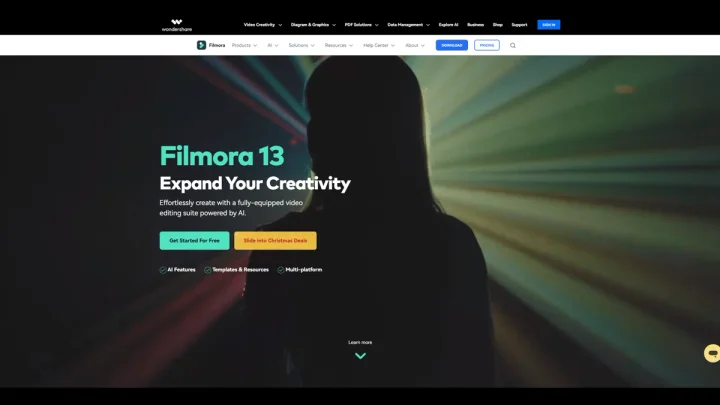
Screenshot of Wondershare Filmora website

What is Wondershare Filmora? Wondershare Filmora is a versatile video editing software designed for creators of all skill levels. It offers an intuitive interface and many features, making it ideal for beginners and experienced users. With Filmora, editing and producing high-quality videos becomes a streamlined and enjoyable process.

Key Features: Drag-and-drop editing: For ease of use. Advanced text editing and title creation: Elevate your storytelling. Over 800 stunning effects and filters: Enhance visual appeal. 4K editing support: Produce high-quality videos. Audio editing tools with royalty-free music library: Elevate your soundtracks.

Pros: User-friendly interface: Perfect for beginners. Extensive range of editing tools and effects: Unlock your creativity. Supports a wide variety of file formats: Flexibility for diverse projects. Regular updates with new features and improvements: Staying current. Affordable pricing with different plans to suit various needs: Budget-friendly options.

Cons: Advanced users may find the features somewhat limited: Not for highly advanced editing. Occasional lags and crashes reported by some users: Minor performance issues.

Who is Using Wondershare Filmora? Content creators: Looking for an easy-to-use editing tool. Small business owners: Creating marketing videos. Educators and students: For academic presentations. Amateur filmmakers: For short film projects. Podcasters: Needing video editing for visual podcasts. Uncommon Use Cases: Event organizers focused on creating promotional videos; Video marketers wanting to enhance product demos; Family historians interested in preserving and sharing family memories.

What Makes Wondershare Filmora Unique? What sets Filmora apart is its balance of simplicity and functionality. It's not just a basic video editor but a gateway for beginners to step into more advanced editing while offering enough depth for seasoned creators.

Wondershare Filmora Tutorials: Wondershare Filmora - Complete Filmora Video Editor Tutorial!

How We Rated It: Accuracy and Reliability: 4.5/5 Ease of Use: 4.8/5 Functionality and Features: 4.2/5 Performance and Speed: 4.0/5 Customization and Flexibility: 3.8/5 Data Privacy and Security: 4.5/5 Support and Resources: 4.3/5 Cost-Efficiency: 4.6/5 Integration Capabilities: 3.5/5 Overall Score: 4.2/5

Summary: Wondershare Filmora is a fantastic tool for anyone looking to dive into video editing without feeling overwhelmed. Its user-friendly interface, combined with a robust set of features, makes it an excellent choice for various users. Whether you're creating content for social media, business, or personal projects, Filmora offers a perfect blend of simplicity and functionality at an affordable price.

Categories:

Share:

Ad
Favicon


Similar to Wondershare Filmora

Favicon


Favicon


Favicon