Ad
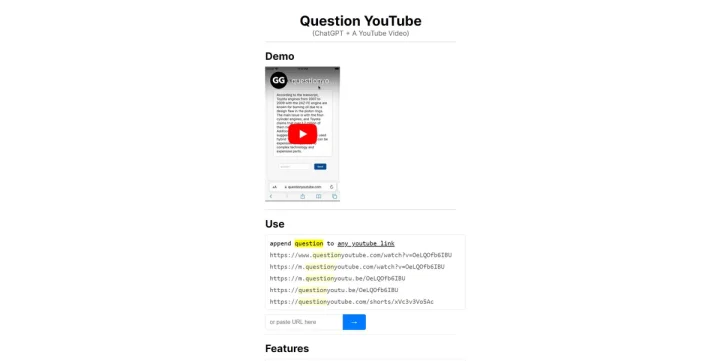
Question YouTube is a convenient and mobile-friendly tool that automates the process of asking questions about YouTube videos. It eliminates the need for manually copying and pasting transcripts into chat by providing an intuitive interface for interacting with YouTube videos and extracting valuable information. Key Features: Mobile-Friendly Interface: Unlike some Chrome Extensions that are limited to desktop use, Question YouTube is designed to work seamlessly on mobile devices, allowing users to chat with YouTube videos anytime, anywhere. Automated Transcripts: The tool automatically generates transcripts for YouTube videos, making it easier to extract specific information or quotes from the video content. Ask Questions in Real-Time: Users can ask questions directly within the tool's interface, facilitating engagement and interaction with the video content. Enhanced Accessibility: Question YouTube improves accessibility by providing a user-friendly platform for users to engage with YouTube videos, particularly for those who may have difficulty navigating video interfaces or for users who prefer text-based interactions. Convenient Search Functionality: The tool allows users to search within the video transcripts, making it efficient to find specific information or references within the video content. Seamless Integration: Question YouTube seamlessly integrates with the YouTube platform, enhancing the overall user experience and enabling more meaningful interactions with video content. Use Cases: Mobile Users: Question YouTube caters to users who primarily access YouTube on their mobile devices and prefer a text-based interface for engaging with video content. Active Video Engagement: The tool is ideal for users who want to actively engage with video content by asking questions, seeking clarification, or discussing specific topics. Education and Learning: Question YouTube can be used as a valuable tool for educational purposes, allowing students or learners to interact with video content in a more interactive and engaging way. Efficient Information Extraction: Users who want to quickly find specific information or quotes from YouTube videos can benefit from Question YouTube's automated transcripts and search functionality. In summary, Question YouTube is a mobile-friendly tool that simplifies the process of asking questions about YouTube videos.